Best TV to Mount: Finding the Perfect Size for Your Home
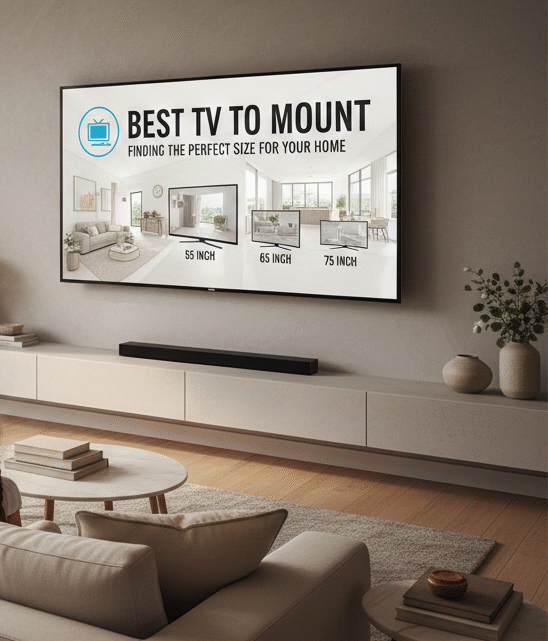
Are you looking to upgrade your home entertainment system with a new TV that you can mount on the wall? If so, you’re in luck! In this article, we will discuss the best TV to mount and help you determine the perfect size for your space. From expert advice to top recommendations, we’ve got you covered.
What is the best TV to mount?
When it comes to choosing the best TV to mount, there are a few key factors to consider. First and foremost, you’ll want to make sure you select a high-quality television from a reputable brand. Look for features such as 4K resolution, HDR capabilities, and smart TV functionality.
In terms of specific models, some of the top-rated TVs for mounting include the Samsung QLED Q90R, LG OLED C9, and Sony Bravia A9G. These televisions offer exceptional picture quality, sleek designs, and easy mounting options.
What size TV should you mount?
One of the most important considerations when choosing a TV to mount is the size of the television. The last thing you want is a TV that is too small for your space or overwhelms the room. To determine the ideal size for your needs, follow these simple steps:
- Measure the wall space where you plan to mount the TV. Make sure to account for any furniture or obstacles that may impact the viewing experience.
- Consider the viewing distance. Experts recommend that the TV should be positioned at eye level and that viewers should sit at a distance of approximately 1.5 to 2.5 times the diagonal size of the screen.
- Choose a TV size that fits within your budget and aligns with your viewing preferences. Keep in mind that bigger is not always better – the goal is to find a size that provides an immersive viewing experience without overwhelming the room.
How do you mount a TV?
Mounting a TV may seem like a daunting task, but with the right tools and know-how, it can be a straightforward process. Follow these steps to successfully mount your new television:
- Choose the right wall mount for your TV size and weight. Make sure to follow the manufacturer’s instructions for installation.
- Locate the wall studs using a stud finder. This will ensure that your TV is securely mounted and can support its weight.
- Mark the mounting holes on the wall and drill pilot holes to prevent damage to the wall during installation.
- Attach the wall mount bracket to the wall, making sure it is level and secure.
- Finally, attach the TV to the wall mount bracket according to the manufacturer’s instructions. Double-check that it is properly positioned and secure before enjoying your new home entertainment setup.